Most freight quoting software picks a lane: it automates one channel, or one workflow, or gives you rate data without doing anything with it. Tabi Connect was built to cover the full problem, and in 2026 that platform got substantially more complete. This page walks through what’s actually in the platform today, product by product, with the new capabilities that shipped this year included.
Where Tabi Fits in the Market
Why “Complete” Is the Differentiator in 2026
The freight quoting software market has largely split into narrow categories. Some platforms automate a single channel well, usually email or one shipper TMS, and stop there. Others are built around RPA to cover shipper portals but don’t go deeper into pricing logic or workflow coverage. A number of well funded, venture backed entrants have built visibility and buzz faster than they’ve published technical depth on integrations or pricing methodology. And a large share of what gets searched under “quoting software” is actually rate intelligence, market data with no request capture or automation attached to it at all.
Tabi Connect was built to cover all of those lanes at once. Channel capture across email, TMS, and chat, both spot and RFP workflows, configurable pricing logic deep enough to match how brokers actually negotiate, a private pricing engine built from a brokerage’s own data, and full visibility into performance, all on one platform, is what “most complete” actually means in this category.
Channels & Workflows
Every Channel, Every Workflow, One Pricing Engine
Quote requests do not arrive through one channel, and they are not all the same kind of request. Tabi Connect covers the full spread on a single pricing engine, so a broker is not reconciling different logic across different tools.
| EmailQuote Reads a quote request directly from an inbox (Outlook, Gmail, or Front), extracts shipment details automatically, generates a quote using configured rate engines, and sends the response, all without leaving the email thread. |
| TMSQuote and ShipperQuote Integrates into a shipper’s own TMS or portal, with or without RPA, and gives shippers a whitelabeled portal to pull rates on demand. |
| QuickQuote and BulkQuote An internal rate lookup for single spot opportunities, and the same logic applied to a batch of spot opportunities at once. |
| RFPQuote Applies the same pricing logic used for spot quoting across a full RFP or bid season lane file, instead of pricing hundreds of lanes by hand. |
| ChatQuote Brings quoting into Slack and Microsoft Teams using natural language. A rep can ask for a quote, pull historical rate data, or review quote details without switching tabs, running on the same Tabi Connect account and permissions already configured. |
| EXAMPLE REQUEST, INSIDE SLACK OR MICROSOFT TEAMS “Tabi Quote Miami, FL to Dallas TX, Van picking up today” Miami, FL → Dallas, TX Final Rate: $919.97 |
Pricing Sophistication
Pricing Logic That Matches How Brokers Actually Negotiate
Basic margin rules cover the simple cases. Real freight pricing has exceptions, stop-based adjustments, and rules that need to be evaluated in a specific order. Tabi’s Pricing Rules engine, expanded in 2026, covers the cases that basic rule builders don’t.
| Priority Panel Defines the order pricing rules are evaluated in, with the full rule hierarchy visible in one place, so multiple matching rules don’t produce an unexpected result. |
| Fixed Final Rate Override Prices the way brokers actually negotiate: a flat rate regardless of mileage, a rate per direct mile, or a rate per mile that accounts for stop detours. |
| Stops Parameter Builds pricing rules around the number of extra stops in a shipment, combinable with other conditions for more precise logic. |
| My Lane Rate Report Count as a Rule Condition Uses the volume of historical data behind a lane as a pricing rule condition itself, automatically flagging, rejecting, or adjusting a quote when the available data is thin. |
| KMA Support References Key Market Areas directly in pricing rules and automatically expands a KMA to every zip code inside it, instead of requiring zip codes to be entered one by one. |
AI Across the Platform
AI Built Into How the Platform Works, Not Bolted On
Configuring pricing logic, querying performance data, and catching a shift in win rate before it costs a quarter of margin all take time most teams don’t have. Tabi Connect uses AI in three specific places to take that time back.
| AI Pricing Rules Write a pricing rule in plain English and Tabi Connect turns it into a live rule in the Priority Panel, no query language or rule-builder syntax required. A team can update pricing logic the same day the market moves instead of waiting on whoever normally builds the rules. |
| Talk to Your Data Ask Tabi Insights a direct question, what’s our win rate on refrigerated freight out of Chicago this month, and get an answer back in plain language instead of building a report first. |
| Pattern Recognition and Next Best Action Tabi surfaces patterns in quoting behavior and performance on its own, a lane’s win rate slipping, a customer’s request volume dropping, a channel running slower than usual, and recommends what to do about it before a team would otherwise notice. |
Your Own Data
A Private Pricing Engine Built From Your Own Rate History
Market benchmarks are useful, but they don’t reflect a specific brokerage’s own negotiated rates and shipment history. My Lane Rate turns that historical data, sitting unused in a TMS, into a private, queryable rate engine.
A broker uploads historical shipment and awarded rate data as a CSV or Excel file. Tabi normalizes and deduplicates it twice a day, at 3am and 3pm, and any TMS can query a lane by zip code, city and state, or Key Market Area and get an Average, Low, and High back in under 20 milliseconds. That result is a baseline. A broker’s markup and other pricing parameters still apply on top before it becomes a final quote.
| <20ms | 2x | 3 | 100% |
| API Response | Daily Refresh | Query Modes | Siloed Data |
Every rate comes with a confidence tier, so a broker knows exactly how much history is behind the number before quoting off it.
| Confidence Tier | Records Required | Default Action |
| High | 25+ records | Rate served, no markup |
| Good | 10 to 24 records | Rate served, no markup |
| Medium | 5 to 9 records | Rate served with alert |
| Low | 2 to 4 records | Rate served with surcharge |
| Very Low | 1 record | Quote blocked or flagged |
Every dataset is fully siloed. No cross-customer sharing, no aggregation, no visibility to anyone outside a brokerage’s own organization.
Building Trust in Automation
A Path to Automation, Not an All-or-Nothing Switch
The most common hesitation about automated quoting is straightforward: what if a rate isn’t right and the team doesn’t catch it before it goes out. Control Tower exists for exactly that. It gives a team a centralized queue to review every automated rate before it posts, so trust in the pricing logic builds gradually instead of being assumed on day one.
| 1. A freight quote request comes in Routes automatically from every connected platform into the Control Tower queue. |
| 2. Review the opportunity Shipment details, rate breakdown, margin, and platform source are visible at a glance. |
| 3. Accept, modify, or decline Adjust rates in real time, bulk-accept, or remove opportunities from the queue. |
| 4. Graduate to full automation Once trust is built, remove the review layer and let Tabi post rates automatically. |
Platform coverage under Control Tower has been expanding through 2026: 8 API-integrated shipper platforms went live in July, including E2Open Spot, Uber Freight, Emerge, Transporeon, Home Depot, Trucker Tools, OTM Spot Now, and BlueYonder, with additional RPA connections rolling out through November. Brokers already running full automation can turn on Control Tower without changing their existing setup. It adds visibility without altering how automation runs today.
Visibility
Performance Data That Doesn’t Require Pulling a Report
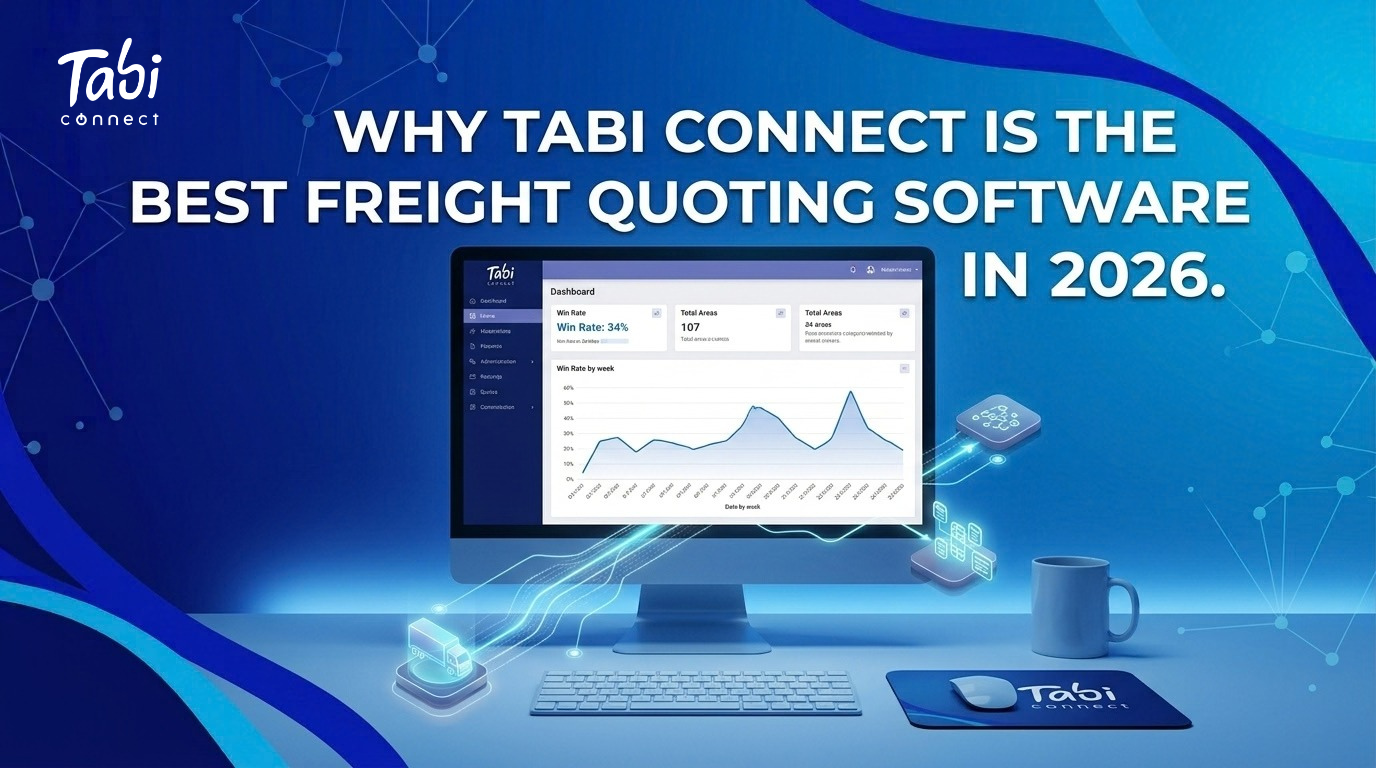
Quoting generates a lot of data, quote requests, wins, losses, exceptions, margin by lane, that typically lives scattered across separate reports until someone manually pulls it together. Tabi Insights organizes, visualizes, and interprets that data so a team can see performance trends without building a report first.
It brings together quote requests, quoted and awarded shipments, missed opportunities, win rate, revenue, margin against target, exceptions, and performance broken down by customer, shipper, lane, equipment, and platform, all in one view.
Pricing and revenue teams use it to track performance at a glance, account managers use it to speak to a customer’s activity instantly, and operations leadership uses it to spot exceptions and lane shifts before they become bigger problems.
The Full Picture
Everything on One Platform
| Capability | What It Does |
| EmailQuote | Quotes directly from an email inbox |
| TMSQuote / ShipperQuote | Integrates into shipper TMS platforms and portals |
| QuickQuote / BulkQuote | Internal spot rate lookup, single or in bulk |
| RFPQuote | Prices full RFP and bid season lane files |
| ChatQuote | Quoting and rate history inside Slack and Microsoft Teams |
| Pricing Rules / AI Pricing Rules | Configurable pricing logic, including rules written in plain English |
| My Lane Rate | Private pricing engine built from a broker’s own historical data |
| Control Tower | Human review queue for building trust in automation |
| Tabi Insights | Visual performance layer across the full quoting funnel, with natural language queries and AI-flagged patterns |
Frequently Asked Questions
What makes Tabi Connect different from other freight quoting software?
Most freight quoting software covers a single channel, a single workflow, or is a rate data source with no automation attached to it. Tabi Connect covers channel capture across email, shipper TMS platforms, and chat, both spot and RFP workflows, configurable pricing logic, a private pricing engine built from a broker’s own data, and full visibility, all on one platform.
Does Tabi Connect support quoting inside Slack or Microsoft Teams?
Yes. ChatQuote brings quoting, historical rate data, and quote details directly into Slack and Microsoft Teams using natural language requests, running on the same Tabi Connect account and permissions a team already has configured.
Can Tabi Connect price using our own historical rates instead of market benchmarks?
Yes. My Lane Rate builds a private pricing engine from a brokerage’s own historical shipment and awarded rate data, refreshed twice daily, queryable by zip code, city and state, or Key Market Area in under 20 milliseconds. Each rate comes with a confidence tier based on how many historical records support it.
How does Tabi Connect help teams that aren’t ready for full automation?
Control Tower gives teams a centralized queue to review, modify, accept, or decline every automated rate before it posts, so a brokerage can build confidence in Tabi’s pricing before removing the review layer and moving to full automation.
What visibility does Tabi Connect provide into quoting performance?
Tabi Insights brings quote requests, win rate, margin, exceptions, and customer and lane level activity into one visual layer, so teams can see performance trends without pulling a manual report.
Is Tabi Connect only for spot quoting?
No. Tabi Connect runs spot quoting through QuickQuote and BulkQuote and RFP or bid season quoting through RFPQuote, all on the same pricing logic, so brokers are not managing separate tools for each type of volume.
Does Tabi Connect use AI, or is it just automation?
Both. Automation covers channel capture and quote generation. AI is used specifically for three things: building pricing rules from plain English instead of rule-builder syntax, answering direct questions about quoting data without building a report first, and surfacing patterns in quoting behavior and performance with a recommended next action.
See the Full Platform in Action
Every channel, every workflow, your own rate data, and full visibility, all on one platform. Tabi Connect.